I took a second pass at the indiebookclub UI I was working on. I kept getting stuck because I wanted to let people update the title/author/ISBN in case they were incorrect in Open Library, but I also thought that made the form feel too busy.
Eventually I realized that most of the time people will not need/want to update that information, so I can keep them read-only. This keeps the form minimal for the most common scenario. I can still include an edit link that will open the full form for people that want that level of control.
Since we already have the title from the search results, Read Status is the only other required field. I decided a minimal form would show that and the Tags field. The other fields can be tucked away under Advanced Options. I also tried shortening the Read Status field. I think that helps the visual flow. All of the dropdowns on this form have relatively short text anyway.
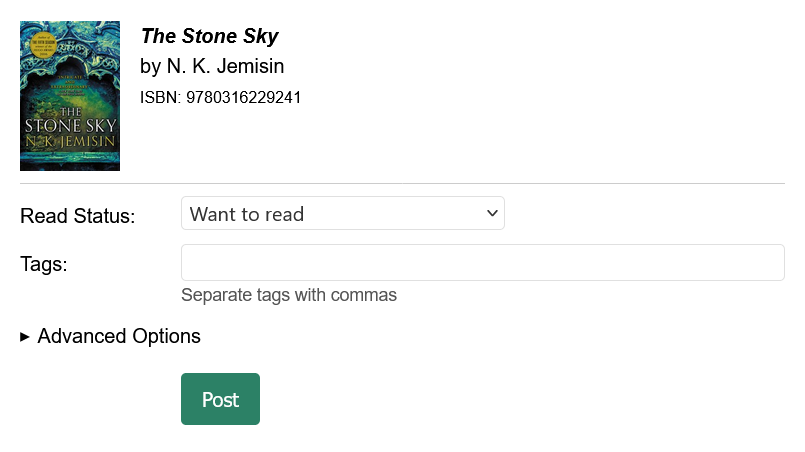
Screenshot 1: The default form is much more minimal
Next I updated the Published field. Previously, the field was always displayed and had an instruction to leave it blank if you wanted to publish the post right away. A better UX is if the default says “Now” and the datetime field only appears if you choose to change it.
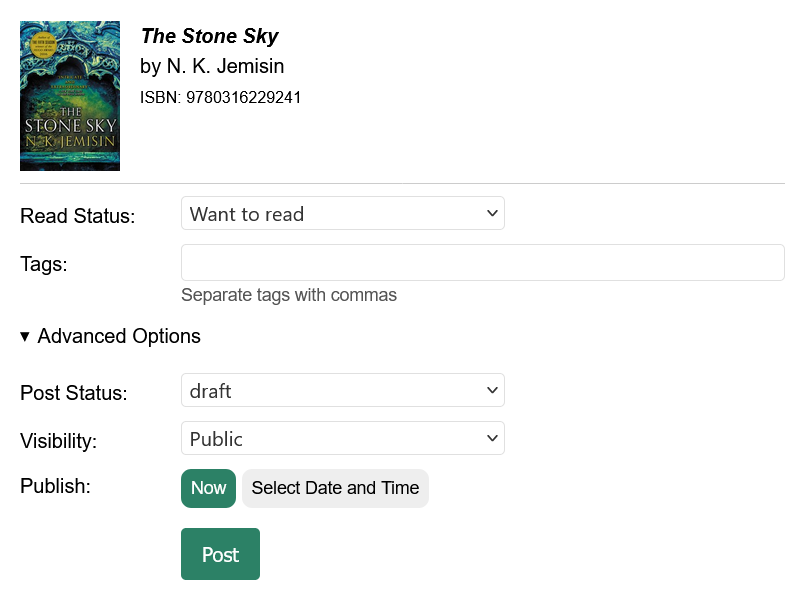
Screenshot 2: Advanced Options expanded with the default Publish set to “Now”
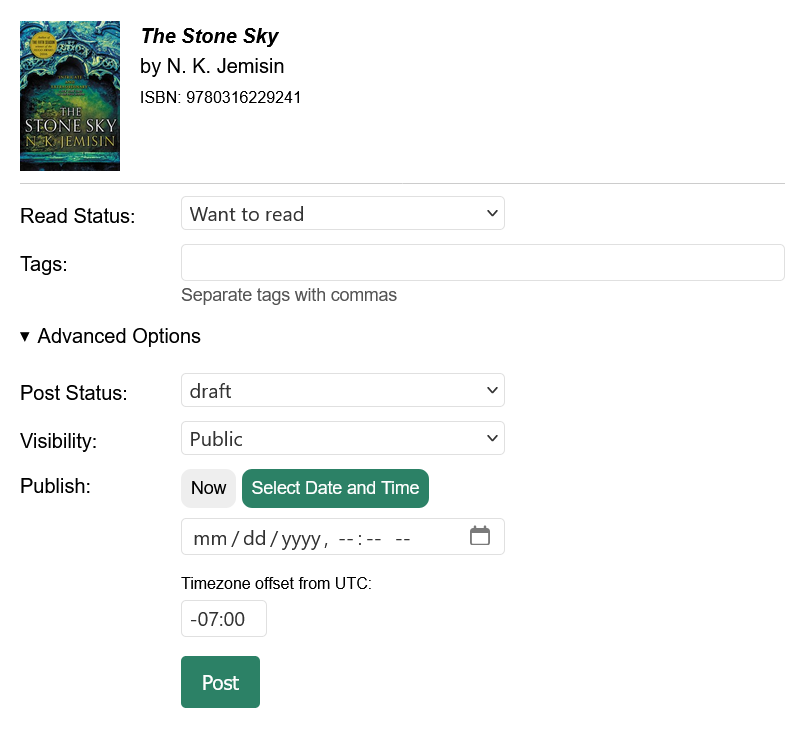
Screenshot 3: Advanced Options expanded and the “Select Date and Time” option selected
The next thing I am working on is lining up the left side of the title/author/ISBN text with the form inputs below them.
I am quite pleased with how this is turning out. Let me know what you think!